

WiFi QR Code Generator
Create a printable WiFi QR code for your home, office, cafe, or restaurant. Guests scan it with their phone camera and connect instantly — no typing the password. Works on iPhone (iOS 11+), Android 10+, and most modern Android phones. Free, browser-based, no data stored.
Last updated: May 9, 2026
Find this tool useful? Support the project to keep it free!
Buy me a coffeeWhat is WiFi QR Code Generator?
A WiFi QR code encodes your network credentials in a standard format that iOS and Android camera apps can parse directly. When a guest points their phone camera at the QR code, the OS detects the WiFi payload and offers a one-tap "Connect to Network" prompt.
The payload format is: `WIFI:T:<security>;S:<SSID>;P:<password>;;` — where T is the encryption type (WPA/WEP/nopass), S is your network name (SSID), and P is the password. This tool generates the payload and wraps it in a downloadable QR code. Your password is never sent to any server — all processing runs locally in your browser.
How to Use WiFi QR Code Generator
Enter your WiFi network name (SSID) exactly as it appears in your router settings
Enter your WiFi password
Select the security type — WPA/WPA2 for most modern routers, WEP for older ones, or "None" for open networks
Optionally toggle "Hidden network" if your SSID is not broadcast
Customize the QR color and size if needed, then download PNG or SVG to print
Common Use Cases
- Print a WiFi QR code for a cafe or restaurant table — guests scan to connect without asking staff
- Frame a WiFi QR on a hotel room desk next to the TV remote
- Put a WiFi QR code sticker on the router so guests can connect without finding the label
- Add a WiFi QR to an Airbnb welcome card or house manual
- Print a guest WiFi QR for a conference room or co-working space
- Share your home WiFi with family during a visit without reading out the password
Example Input and Output
Generating a WiFi QR code for a cafe guest network:
Network name (SSID): CafeGuest
Password: welcome2024
Security: WPA/WPA2
Hidden network: NoQR encodes: WIFI:T:WPA;S:CafeGuest;P:welcome2024;;
Scanned with: iPhone camera app / Android camera / Google Lens
Result: "Connect to CafeGuest?" prompt appears
Guest taps: Join — connected instantlyHow This Tool Works
The tool constructs a WIFI URI string from the entered credentials, escaping any special characters per the WiFi QR specification. The URI is encoded into a QR matrix using the qr-code-styling library. The resulting QR code is rendered to an off-screen Canvas element and exported as a PNG Blob (via canvas.toBlob()) or SVG string. The generated file is offered as a download — nothing is stored server-side.
Technical Stack
Privacy First
Your WiFi password is processed entirely in your browser. It is never transmitted to our servers, stored, or logged anywhere. The QR image is generated locally and downloaded directly to your device.
Best Practices for Printed WiFi QR Codes
Laminate the printed QR if it will be in a humid environment like a cafe or kitchen. Place it 1–1.5m from the floor so it is at a comfortable scan height. Avoid placing it behind glossy surfaces that cause glare. Download SVG for the crispest print at any size.
WiFi Payload Format
The WiFi QR code uses the mecard-based WIFI payload format: WIFI:T:<WPA|WEP|nopass>;S:<SSID>;P:<password>;H:<true|false>;;. This is the standard recognized by iOS Camera, Android Camera, and Google Lens natively. Special characters in SSID or password (semicolon, backslash, comma, colon, quote) are automatically escaped.
Frequently Asked Questions
Does WiFi QR code work on iPhone?
Yes. Apple added native WiFi QR code support in iOS 11. Open the Camera app, point it at the QR code — a "Join Network" banner appears at the top. Tap it to connect. No additional app needed. Works on iPhone 6s and later running iOS 11+.
Does WiFi QR code work on Android?
Yes, natively on Android 10 and later. Open the Camera app and point at the QR code — a connection prompt appears. On Android 9 and earlier, use Google Lens or a QR scanner app. Samsung, OnePlus, Xiaomi, and most modern Android cameras also support it directly.
Which security type should I choose?
Choose WPA/WPA2 for all modern routers (2008 and later). Choose WEP only if your router is very old and doesn't support WPA — WEP is insecure and should be avoided. Choose "None" only for intentionally open public networks with no password.
What is a hidden SSID and when should I enable it?
A hidden network does not broadcast its name in the list of available WiFi networks — the user must know the exact SSID to connect manually. If your router is configured to hide the SSID, toggle "Hidden network" on in this tool so the QR payload includes the hidden flag. Most home and business networks are not hidden.
Is my WiFi password safe in the QR code?
Your password is encoded inside the QR code image — anyone who scans it can connect to your network. This is intentional: the QR code is a convenience mechanism for sharing credentials you would otherwise hand out verbally. Keep it in a controlled location. Your password is never sent to our servers — the QR is generated entirely in your browser.
What size should I print the WiFi QR code?
For a table tent or counter card: 2×2 to 3×3 inches. For a framed sign: 4×4 to 6×6 inches. Always download SVG for print — it scales perfectly. Phones typically need at least 2.5cm (~1 inch) QR size to scan reliably from 15–30cm distance.
Can I add my cafe or business logo to the WiFi QR?
Yes. Use the full QR Code Generator with logo support, select WiFi type, fill in the credentials, then upload your logo in the Design panel. Use error correction level H so the QR stays scannable with the logo in the center.
Related Tools
QR Code Generator
Create free static QR codes for URL, WiFi, UPI, vCard, WhatsApp, text, and more. Download PNG, SVG, JPG, or WebP in your browser.
Menu QR Code Generator
Create a restaurant menu QR code from a hosted menu URL. Download a static QR code as PNG or SVG for tables, counters, flyers, and signage.
Google Form QR Code Generator
Create a QR code for a public Google Form or feedback form link. Download a static QR code as PNG or SVG for events, classrooms, stores, and surveys.
WhatsApp QR Code Generator
Create a WhatsApp QR code that opens a chat with your phone number and an optional pre-filled message. Download PNG or SVG for print and sharing.
UPI QR Code Generator
Generate UPI payment QR codes instantly. Enter your UPI ID, name, and amount — download PNG or SVG. Works with GPay, PhonePe, Paytm, and any UPI app.
QR Code Generator with Logo
Generate branded QR codes with your logo in the center. Upload a PNG or JPEG logo, customize colors, and download a print-ready QR code with your brand on it.
Part of a Collection
Posts for This Tool
Broader workflow content that links this tool back into the wider cluster.
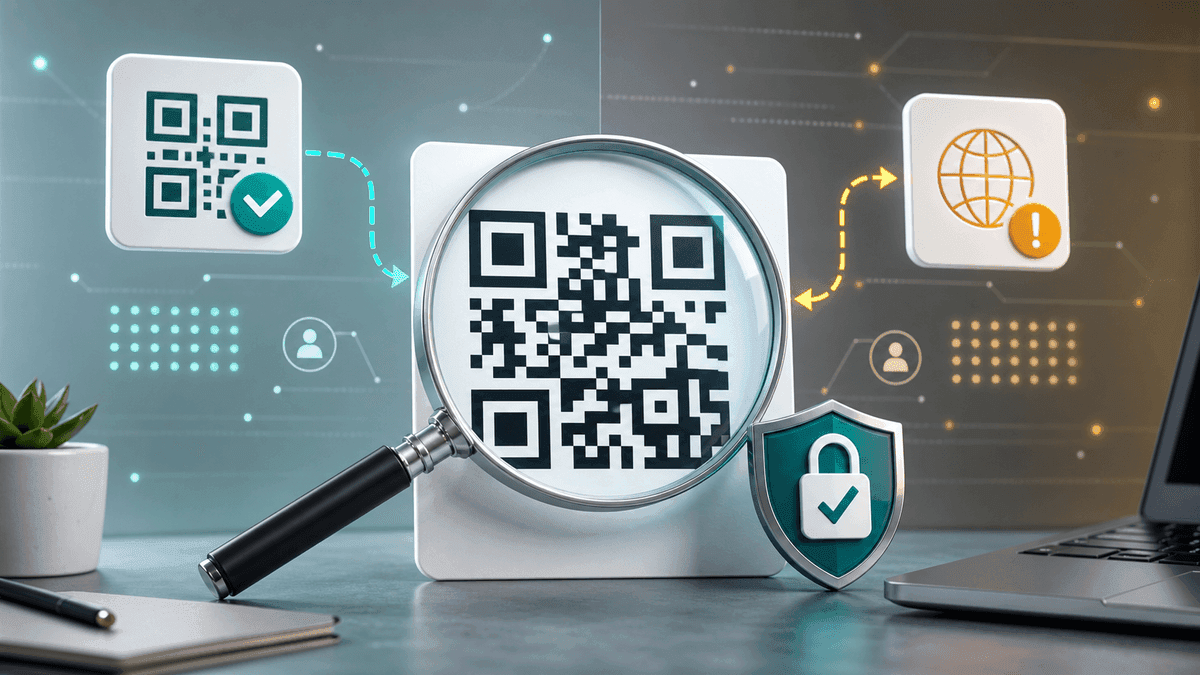
Are Free QR Code Generators Safe? What to Check Before You Use One
Learn what makes a free QR code generator safe or risky, what data they can collect, and how to check if a site is trustworthy before generating codes.

How to Create a QR Code Menu for Restaurants and Cafes
Create a restaurant menu QR code for table tents, counters, receipts, takeout bags, and window signs. Covers menu URLs, PDF menus, placement, mistakes, and testing.
QR Code Not Scanning? 7 Causes and How to Fix Each One
QR code not scanning? Diagnose the problem by cause: low contrast, cropped quiet zone, print size, logo, payload error, or wrong test method. Fix each one step by step.