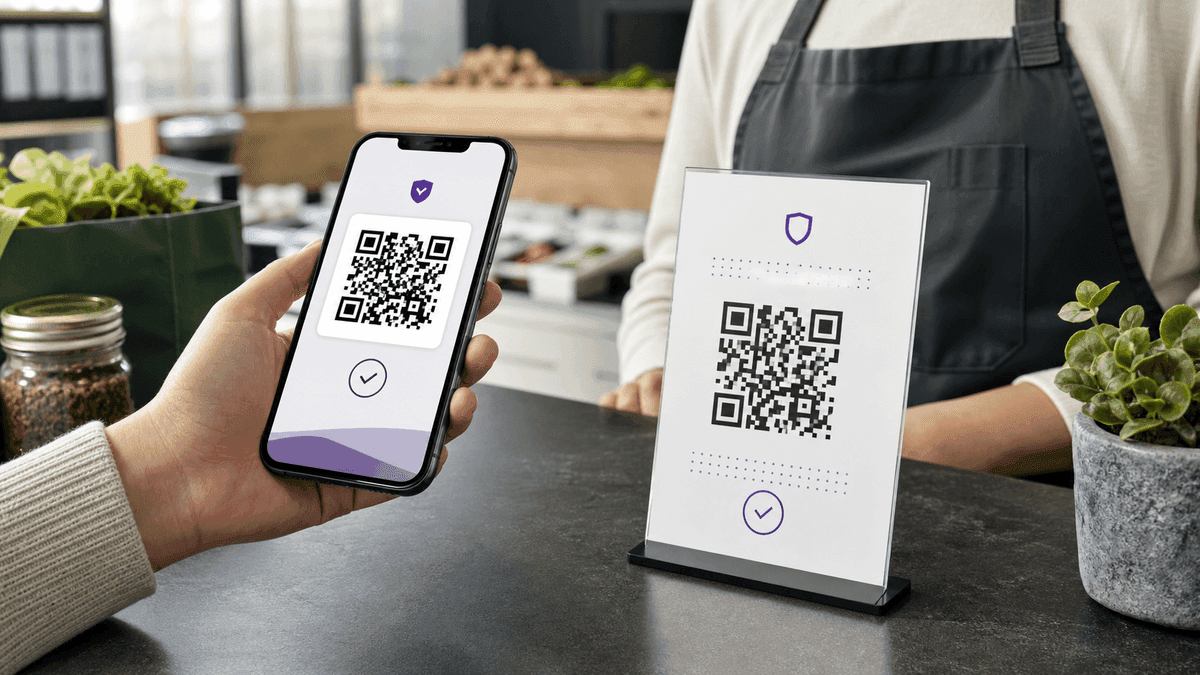
A Zelle QR code should come from Zelle inside a participating bank or credit union app. When someone scans it from their bank app, they can confirm your displayed name, enter an amount, and send money without typing your email address or U.S. mobile number.
Do not try to invent a Zelle payment URL in a generic QR generator. Zelle does not publish a universal static payment URL scheme. If your bank does not support Zelle QR codes, create a simple contact-info QR code with your enrolled Zelle email or phone number instead.
How Zelle QR codes work
Zelle QR codes are handled inside participating banking apps. The payer opens Zelle in their bank app, chooses Send, taps the QR code icon on the recipient screen, scans your code, reviews the displayed name, enters the amount, and sends.
Your own code is usually under a My Code tab or QR code option inside the Zelle area of your bank app. Zelle's QR code FAQ notes that QR codes are not available at every financial institution, so the exact steps and availability depend on your bank or credit union.
Option 1 — Use your official Zelle QR code
Open your bank or credit union app and go to the Zelle section. Look for Send, Request, QR code, or My Code. If your institution supports Zelle QR codes, you can view your code and use the print or share options provided in the app.
This is the most reliable method because the QR code is generated by the Zelle experience inside your financial institution. Scan-test the code from another device before printing it on invoices, counter signs, or payment cards.
Open your bank app → Zelle section
Find QR code or My Code
Use the bank app's print/share option
Test the code before printing
Option 2 — Create a contact-info QR code
If your bank does not offer Zelle QR codes, create a text or vCard QR code that displays your Zelle-registered U.S. mobile number or email address. This does not open a pre-filled Zelle payment screen — it only makes your payment contact easy to copy or read.
Open the QR Code Generator, select Text, and enter something like: "Send via Zelle to +1 (555) 000-1234". For a cleaner contact card, use the vCard QR Code Generator and include your payment email or phone number.
This fallback works well on printed invoices or business cards when your customers already know how to send through Zelle but you do not want them typing your payment contact from memory.
Where to use your Zelle QR code
Common placements: printed at a market stall or food stand, on an invoice or receipt, on a business card, at a checkout counter, or in a digital PDF quote.
Keep in mind that the QR scan flow only works when the payer's bank or credit union app supports Zelle QR codes. If their app does not support QR scanning, they can still send manually with your enrolled email address or U.S. mobile number.
Market stall or food vendor counter
Freelance invoice or proposal PDF
Business card or payment card
Restaurant or service checkout
Payment safety notes
Zelle is best for people and businesses you know and trust. Before anyone sends money, they should confirm the recipient name shown in their bank app. If you are receiving payment in person, confirm the money arrived in your own bank app before handing over goods or marking an invoice paid.
For broader customer payments, consider also offering a PayPal.me link, Venmo profile, Cash App tag, card checkout link, or invoice payment page. Those options are more familiar to customers who do not use a bank that supports Zelle QR codes.
Related QR resources
For the broader QR workflow around payment cards, invoice inserts, and counter signs, use the QR Code Tools hub. It links the main QR generator, vCard QR, logo QR, print helpers, and safety guidance in one place.
If you need spreadsheet-driven QR batches for invoices or product rows, read How to Generate a QR Code in Excel. For privacy checks before using any free generator, read Are Free QR Code Generators Safe?.
Frequently Asked Questions
Q: Does a Zelle QR code work if the payer's bank does not support QR codes?
A: Not as a QR scan flow. If their bank does not support Zelle QR codes, they may still be able to send with Zelle by entering your enrolled U.S. mobile number or email address manually.
Q: Is the QR code safe to share publicly?
A: Your bank account number is not encoded in the QR code, but you are still sharing a payment profile. Use it with customers and people you trust, and always confirm payments inside your own bank app instead of relying on screenshots.
Q: Can I use this for business payments?
A: Eligible small businesses can use Zelle when their bank or credit union supports it for the account type. Limits, QR availability, and business rules vary by institution, so check your bank's Zelle policy before using it for high-volume transactions.
Q: Can I create a custom Zelle deep link QR code?
A: No universal Zelle payment URL scheme is publicly supported. Use your official Zelle QR code from your bank app when available, or create a contact-info QR code as a fallback.
Tools mentioned in this guide