WebToolsPlanet Bookmark Manager · Early access
Save the page. Keep the knowledge.
A saved link rots fast — pages change, sites go down, and “read later” quietly becomes never. Bookmark Manager keeps what mattered about the page, not just the URL.
Come back to it as a Snapshot, the Live Page, or a clean Saved Copy.
Import from Chrome, Firefox, or Safari. Export as HTML, CSV, or JSON.
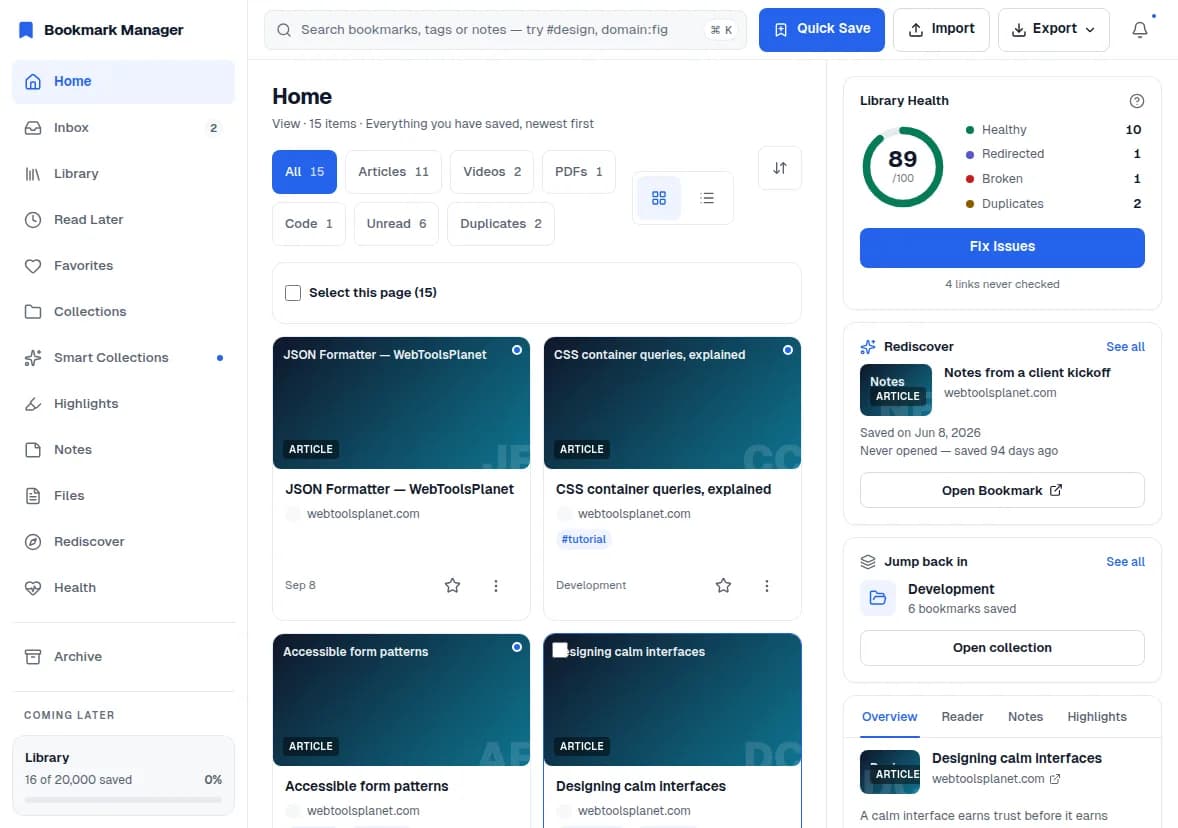
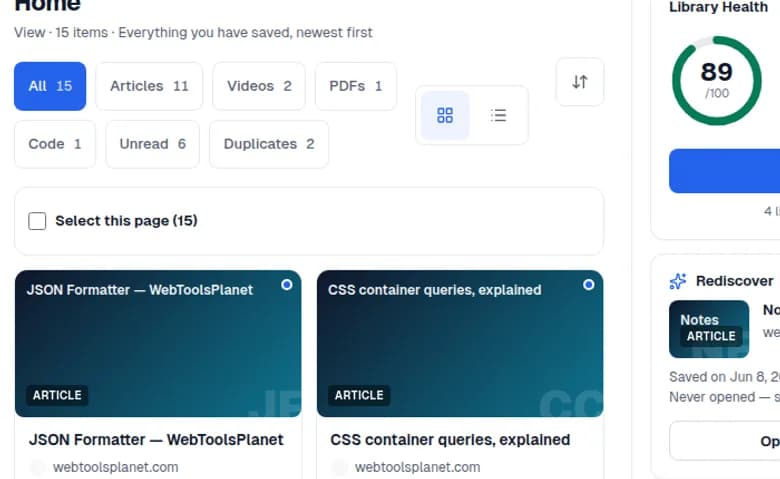
Bring your library. Keep your options.
Import from Chrome, Firefox, Safari, CSV, or a plain URL list. Export your bookmarks as browser HTML, CSV, or JSON whenever you want.
Signature feature
One bookmark. Three ways back in.
See the page as you saved it, check the current live version, or open a clean reading copy—without losing your place in the library.
Snapshot
A dependable visual capture that preserves the page’s context when available.
See what caught your attention, not just where the link pointed.
Live Page
Check the current website inside the bookmark workspace when the destination permits it.
Stay in context while checking what changed.
Saved Copy
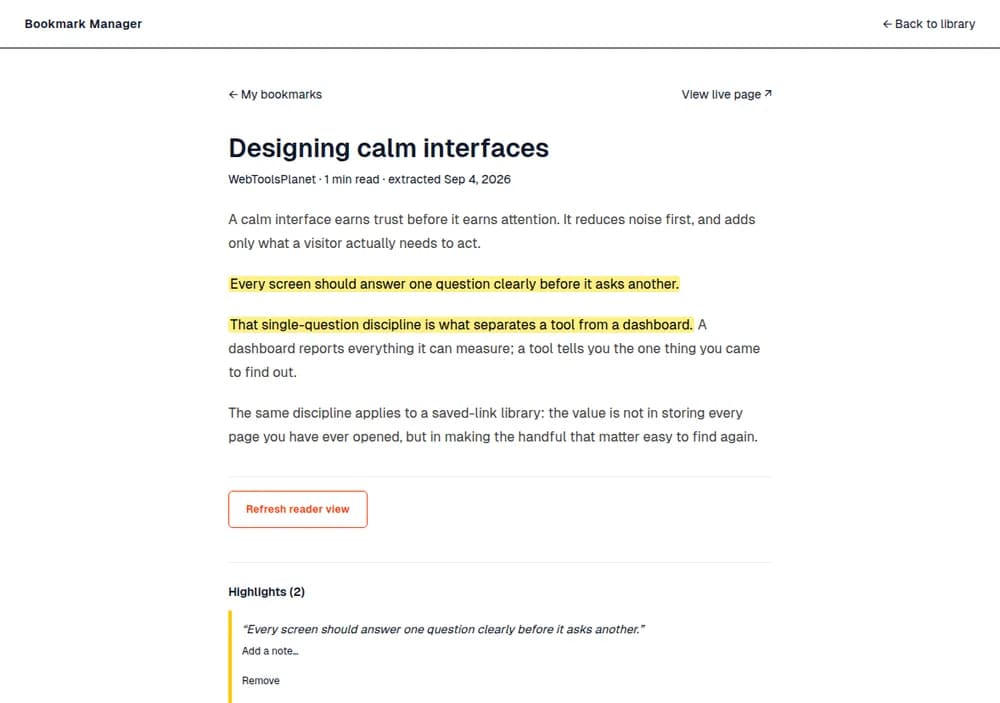
Read extracted article content in a clean, distraction-free format.
Return to the useful part of the page.
Designing calm interfaces
Visual capture from when you saved it
Previews and saved copies depend on the source page. Some sites block embedded live views.
Reading, kept
Do more with what you save.
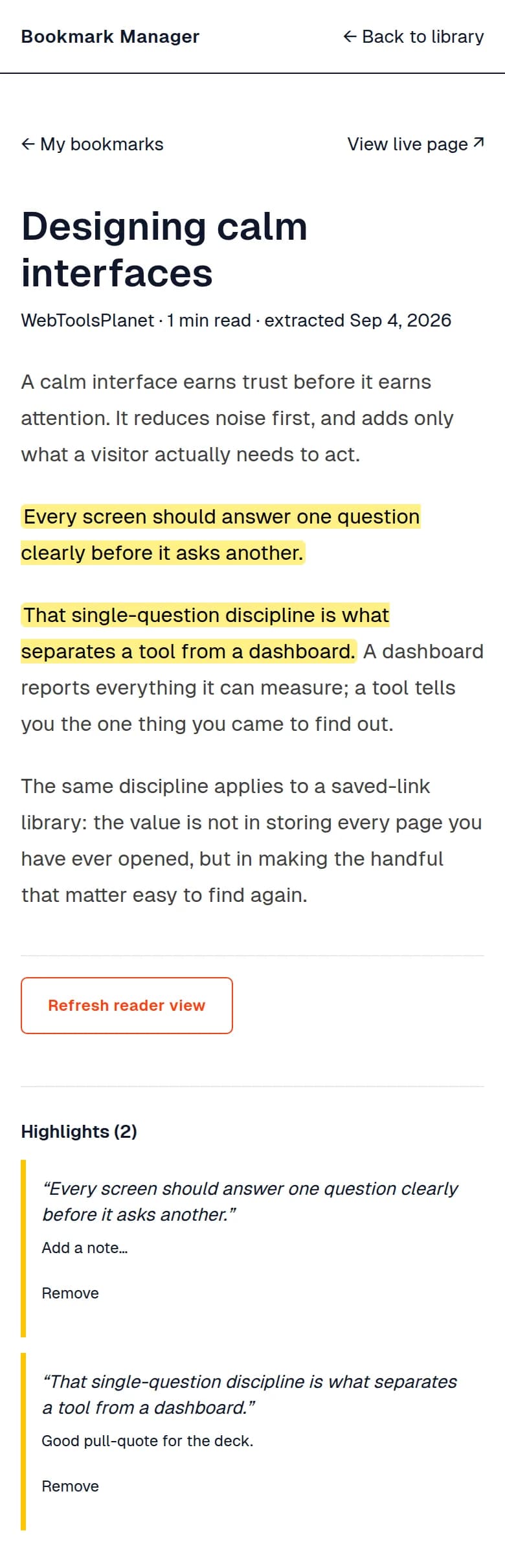
Open a clean reader, track your progress, highlight important passages, and keep notes beside the source.
- Distraction-free extracted article
- Reading-time estimate
- Reading-progress bar
- Automatic read completion near the end of the article
- Text highlights
- A note attached to a highlight
- A general bookmark note
- Link to the live page
Saved reader copies are best-effort extraction from compatible HTML articles.
Organization
The right list is already waiting.
Smart Collections gather what is unread, untagged, never opened, highlighted, noted, duplicated, moved, or broken—while Rediscover brings back bookmarks left untouched the longest.
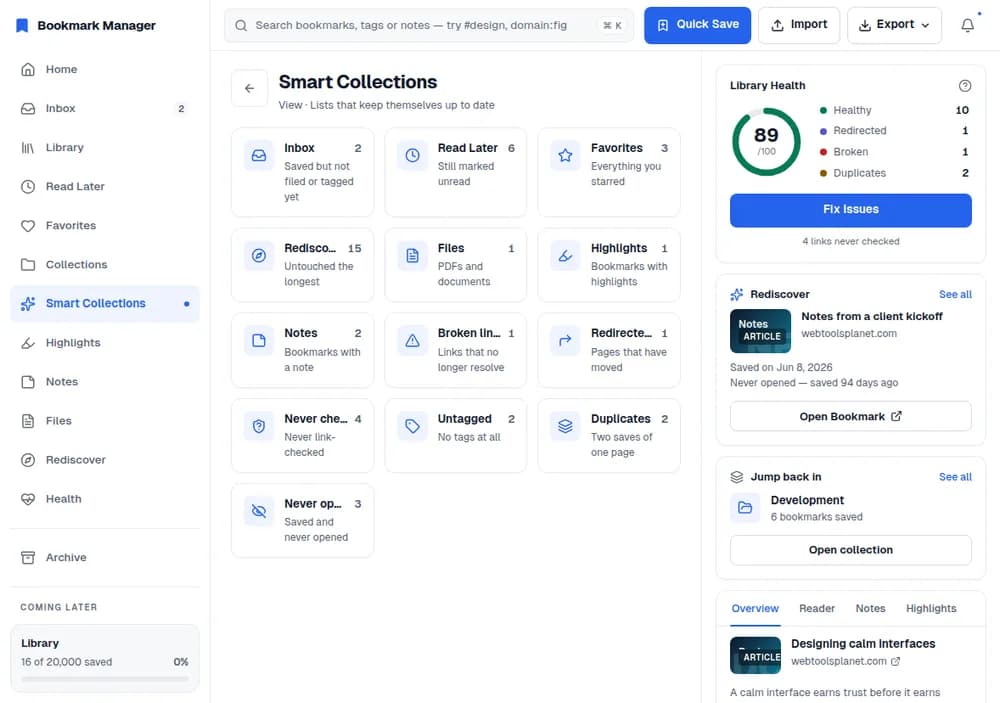
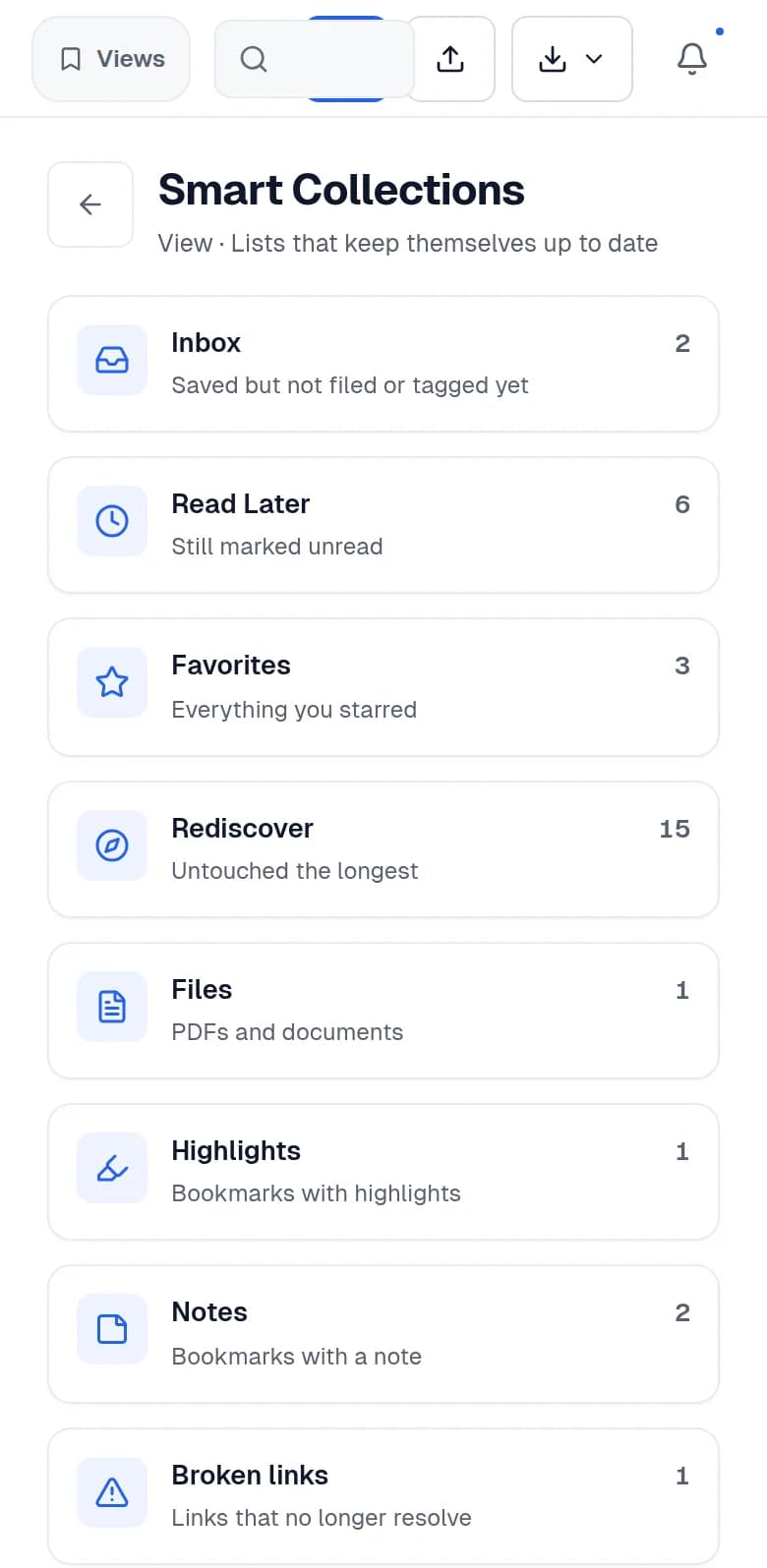
Use collections for projects. Use tags across projects. Let smart views handle the states in between.
Your best saved ideas should not disappear into a folder.
Rediscover brings back bookmarks you have not touched in the longest time, while Never Opened exposes the links that never received a second look.
Notes from a client kickoff
wtp-notes.dev
A library becomes valuable when it gives something back.
Library health
Know what still works.
Check saved links for healthy destinations, redirects, broken pages, timeouts, and duplicate entries—then focus cleanup where it matters.
Broken links count fully. Redirects and duplicates count one quarter each. Unchecked links are visible but are not treated as broken.
See library healthout of 100
- Designing calm interfaces
- CSS container queries, explained
- bm-tokens.css reference
Several links are also unchecked — visible, but not counted as broken.
Fast management
Find it before the thought is gone.
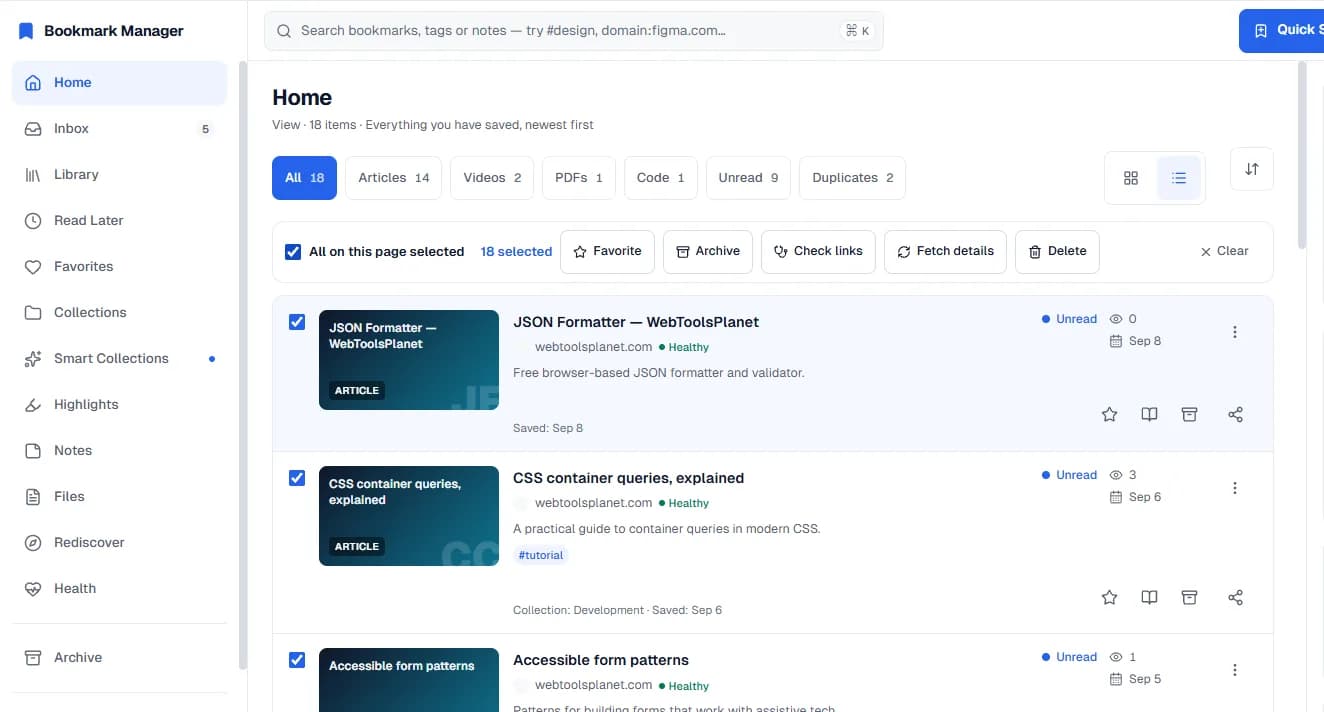
Jump to a bookmark with Quick Find, narrow the library by content or state, and clean up a page of results in one action.
Show an advanced search example
#research domain:github.com after:2026-01-01 -deprecatedSearch titles, URLs, domains, descriptions, and tags. Combine tags, domains, dates, phrases, exclusions, and OR alternatives.
- Newest, oldest, most opened, and title sorting
- Grid and list layouts
- Select-page bulk actions for Favorite, Archive, Check Links, Fetch Details, and Delete
- Copy as URL, Markdown, HTML link, title plus URL, or JSON through Quick Find
Search speed depends on the loaded portion of large libraries while server-driven search is being rolled out.
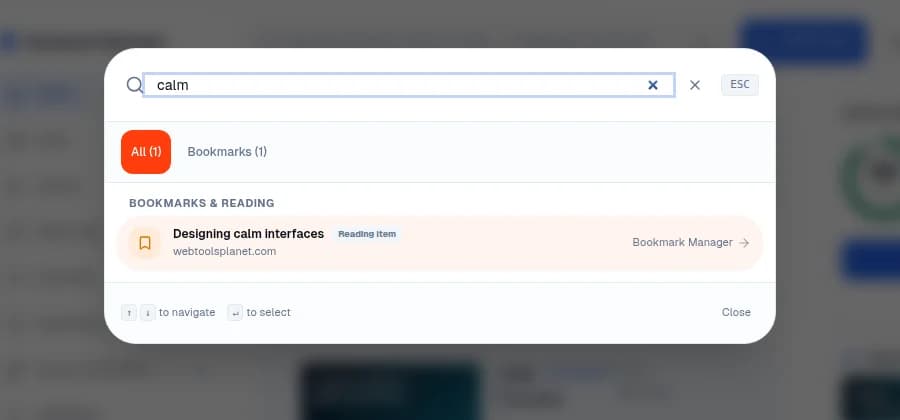
Ownership
Bring your bookmarks. Keep control of them.
Import a browser bookmark export, CSV, or plain URL list. Export your bookmark data as browser HTML, CSV, or JSON whenever you need it elsewhere.
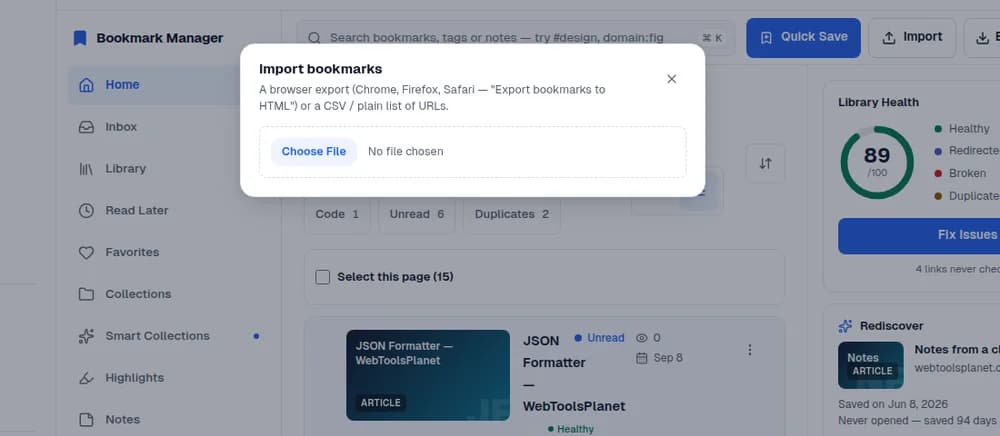
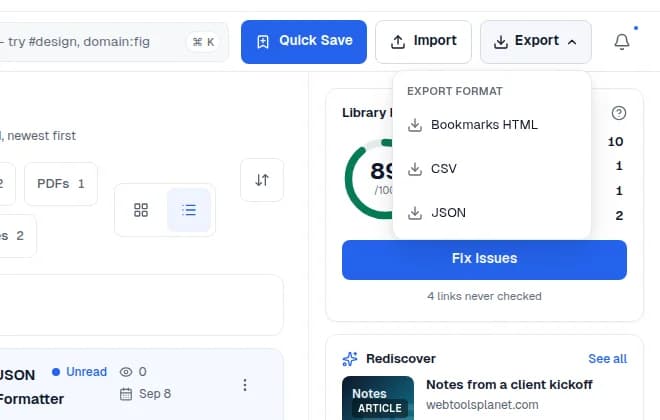
- Duplicate URLs inside an import are skipped
- Multi-URL paste supports fast migration from a text list
- Browser HTML export uses the common Netscape bookmark format
- CSV includes URL, title, domain, tags, favorite state, and creation date
Who it's for
Built for the work behind the tabs.
Build a source library you can annotate and trust later.
Preserve context, highlight evidence, add notes, and identify moved or broken references.
FAQ
Questions before you switch.
Can I import my existing browser bookmarks?+
Yes. Bookmark Manager accepts the common bookmark HTML exported by Chrome, Firefox, and Safari, plus a simple CSV or one-URL-per-line list.
What can I export?+
You can export bookmark data as browser-compatible HTML, CSV, or JSON. Current exports cover bookmark fields; they are not a full backup of screenshots, saved copies, notes, or highlights.
What is the difference between Snapshot, Live Page, and Saved Copy?+
Snapshot preserves a visual capture when available. Live Page attempts to show the current website inside the workspace. Saved Copy extracts compatible article content for focused reading.
Does every website support all three views?+
No. Some websites block embedded live views, and some pages do not expose content that can be cleanly captured or extracted. Bookmark Manager falls back where possible and keeps the original link accessible.
How does link health work?+
Link checks classify reachable pages, redirects, broken destinations, timeouts, and blocked checks. The library also surfaces likely duplicates and links that have never been checked.
Can I add notes and highlights?+
Yes. Compatible saved reader copies support text highlights, notes attached to highlights, and a general note for the bookmark.
Is my library stored only in my browser?+
No. Bookmark data and captured content use WebToolsPlanet's application and storage infrastructure.
Is Bookmark Manager available now?+
Bookmark Manager is currently in early access and access-controlled.
Turn saved links into knowledge you can return to.
Bring your existing bookmarks, preserve the pages that matter, and build a library that gets more useful over time.
Browser imports supported · Bookmark exports available · Capacity varies by plan